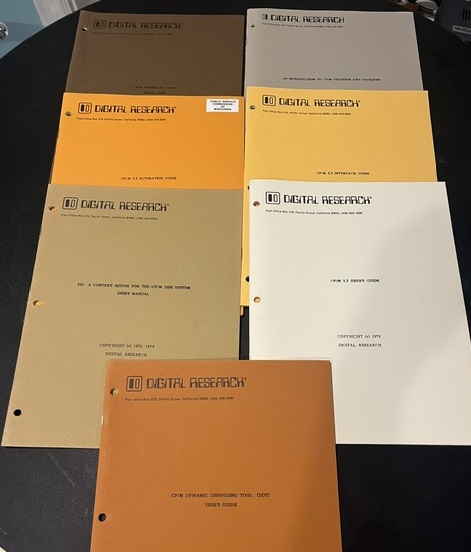
CP/M 2.2 is a classic operating system from the microcomputer era, widely used on 8-bit machines in the late 1970s-early 1980s. In the MicroBasement, CP/M 2.2 runs on several machines, including the Altair 8800, IMSAI 8080, Big Board I & II, and Osborne 1/1A, each with its own custom CBIOS (Custom BIOS). CP/M 2.2 runs on either a Z80 or 8080 processor (or compatible). For the most part, application programs can be run on any CP/M machine as long as they are not specific to the processor or hardware. Building and booting CP/M on these systems requires custom boot disks, often created with floppy emulators like the HXC on Gotek hardware. This write-up focuses on CP/M 2.2's use in the MicroBasement, the process for creating a CBIOS and boot disk, functions supported in the CBIOS, and steps to port CP/M to a new machine.
CP/M 2.2 is the primary OS for many 8-bit machines in the MicroBasement. It runs on the Altair 8800, IMSAI 8080, Big Board I & II, Osborne 1/1A, and others. Each machine requires a custom CBIOS to handle hardware-specific I/O. For some, boot disks are on physical floppies; for others, floppy emulators like the HXC on Gotek hardware simulate disks, allowing easy loading from modern files. This setup lets us boot CP/M quickly and experiment with period-correct software.
The CBIOS (Custom BIOS) is the hardware-dependent part of CP/M that interfaces the OS with the machine's console, disk drives, and other peripherals. To create a CBIOS:
For MicroBasement machines, each CBIOS is tailored - e.g., IMSAI uses SIO for console, while Big Board uses onboard UART.
To build a bootable CP/M 2.2 disk:
For floppy emulators like HXC on Gotek, convert the disk image to .HFE format and load it onto a USB drive for emulation.
The CBIOS must implement 17 standard entry points (jump table) for CP/M 2.2:
These handle all hardware I/O; the OS calls them via the jump table.
Porting CP/M 2.2 to a new machine involves adapting the OS to the hardware:
For MicroBasement ports, we used floppy emulators like HXC on Gotek for diskless testing.
CP/M 2.2 was the OS that made microcomputers serious tools for business and development. In the MicroBasement, customizing CBIOS and building boot disks keeps the spirit of 8-bit computing alive - a hands-on way to relive the era when every machine was unique.